Overview
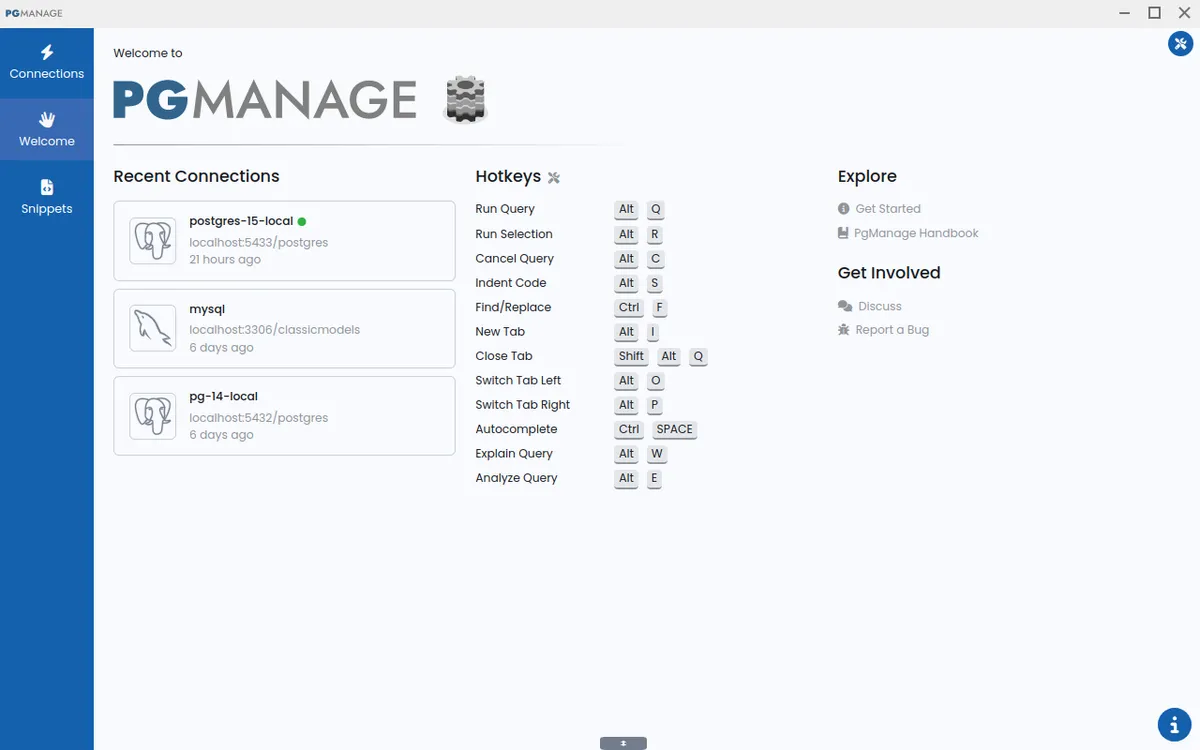
Audax Data Manager, formerly known as PgManage, is a modern open-source SQL editor and graphical database administration tool developed by Command Prompt Inc., a company based in the United States with over two decades of experience in PostgreSQL services. The tool supports multiple database systems including PostgreSQL, MySQL, MariaDB, SQL Server, Oracle, and SQLite3, making it a versatile choice for developers and database administrators. Audax Data Manager emphasizes a clean, intuitive interface that stays out of the user's way while providing powerful features such as schema editing, performance monitoring, backup management, and SSH tunneling. It is available as a desktop application for Linux, Windows, and macOS, with an enterprise edition offering remote web access, multi-user support, and OAuth2 authentication.
Services & Expertise
-
Multi-Database Support: Audax Data Manager connects to PostgreSQL, MySQL, MariaDB, SQL Server, Oracle, and SQLite3 databases, allowing users to manage diverse environments from a single interface. This eliminates the need for multiple specialized tools.
-
Modern User Interface: The tool features an intuitive, clutter-free design with switchable themes and UI scaling. It supports keyboard navigation, hotkeys, and fuzzy search for quickly locating database objects.
-
Security and Privacy: Audax Data Manager is privacy-first with no data collection or telemetry. Credentials are stored in encrypted form, and the community edition works entirely offline, ensuring sensitive data remains on the user's machine.
-
Powerful Administration Features: Users can view database performance metrics, run backups, manage roles and extensions, tune PostgreSQL server parameters, and connect via SSH tunnels. The schema editor supports renaming indexes and updating column comments across multiple database types.
-
Smart Query Editor: The SQL editor provides schema-aware autocomplete suggestions for tables, views, columns, aliases, and functions. It highlights query errors at the exact location and allows copying table data as Markdown, JSON, or CSV.
-
Data Editor with Spreadsheet-Like Interface: Users can edit data in a familiar grid, copy and paste cell regions, and edit complex content in a modal window. Full-screen mode is available for data editor and ERD tabs.
-
Enterprise Edition: For organizations needing remote access, the enterprise edition offers web browser access, multi-user support, OAuth2 authentication, and deployment options on AWS and Docker. It includes a license purchase option via email.
How They Work
Audax Data Manager is designed for straightforward installation and immediate use. Users download the appropriate version for their operating system (Linux AppImage, Windows installer, or macOS DMG) from the GitHub releases page. After installation, they can create connections to supported databases by providing host, port, credentials, and optional SSH tunnel settings. The interface presents a database explorer panel for browsing objects, a query editor for writing SQL, and a data editor for viewing and modifying table contents. The community edition works entirely offline, while the enterprise edition can be deployed on AWS or Docker for remote access via a web browser. Regular updates are released on GitHub, with the latest version 1.5 introducing enhanced keyboard navigation, improved data editing, and expanded schema editor support for Oracle.
Ideal Client Profile
-
A database administrator managing multiple PostgreSQL, MySQL, or SQL Server instances who needs a unified tool for schema changes, performance monitoring, and backup management without switching between different clients.
-
A developer working on applications that use diverse databases who requires a lightweight, offline SQL editor with smart autocomplete and error highlighting to speed up query writing and debugging.
-
A small to medium-sized business seeking a cost-effective database management solution that is open-source and free, with the option to upgrade to an enterprise edition for remote team access and centralized authentication.
-
A security-conscious organization that prefers a tool with no telemetry or data collection, and needs to keep database credentials encrypted and operations entirely offline.
-
A company migrating from legacy databases to PostgreSQL that needs a tool supporting both source and target systems, with features like schema comparison and data export in multiple formats.
Pricing & Engagement Models
Audax Data Manager offers two editions: Community and Enterprise. The Community edition is free and open-source, available for download from GitHub. It includes all core features and works offline. The Enterprise edition requires a purchased license and adds remote web access, multi-user support, OAuth2 authentication, and deployment options on AWS and Docker. Pricing for the Enterprise license is not publicly listed; interested parties must contact sales via email. The tool is also available as a Docker image on Docker Hub and through the AWS Marketplace.
Why Consider Them
Audax Data Manager stands out for its combination of modern design, broad database support, and strong privacy stance. Unlike many database tools that collect telemetry or require constant internet connectivity, the community edition works fully offline with no data collection. The tool is backed by Command Prompt Inc., a company with over 25 years of PostgreSQL expertise, ensuring professional-grade features like performance monitoring and server parameter tuning. The recent 1.5 release adds enterprise-friendly capabilities such as Oracle schema editor support and improved keyboard navigation, making it suitable for both individual developers and teams. Its open-source nature allows for community contributions and transparency, while the enterprise edition provides the scalability needed for larger organizations.