
Overview
shadcn/ui Pro is a commercial product layer built on top of shadcn/ui, the open source React component collection that pairs Tailwind CSS with Radix UI primitives. Where the free library stops at individual components such as buttons, dialogs and tables, this paid offering supplies the assembled material that production work demands: 439 prebuilt blocks spread across 61 categories, a Figma kit covering all 56 shadcn/ui components, 18 curated themes with a live builder, an MCP server that lets AI coding agents search and install blocks, and 10 Agent Skills that translate Figma frames into React code.
The product is published by Shadcn Sp. z o.o., the entity named in the site footer, and is operated from pro.shadcn.co. The company does not publish a founding date or a headcount on the page. It positions itself through adoption instead, stating that more than 13,000 designers and developers work with the system, and it displays references from Warp, Brex, Redgrave, Kohort, Atlas Labs, CollegeVine, CrowdHealth, Monaco, Hera and Parahelp. The framing throughout is deliberately plural: the same assets serve designers working inside Figma and developers working inside a repository, and the stated ambition is that what gets designed is exactly what ships.
The segment it occupies sits between a component marketplace, a design system licence and a developer productivity tool. Buyers arriving from the free shadcn/ui ecosystem typically already have a project scaffolded and are looking for finished sections, a matching design file, or agent tooling that eliminates repetitive assembly.
Services & Expertise
shadcn/ui Blocks. The largest part of the catalogue is a library of 439 handcrafted sections and application screens, organised into 61 categories and split across three families. The User Interface set covers AI chat, command menus, dashboards, dialogs, onboarding flows, sidebars and sign up screens. The Landing Page set covers heroes, pricing tables, testimonials, footers, galleries, blogs and FAQ sections. The eCommerce set covers checkout, navbars, filters, product details, product categories, product lists and order summaries. Each block installs through the shadcn CLI as editable source, is responsive, ships in light and dark variants, and is stated to work with Radix UI, Base UI and React Aria.
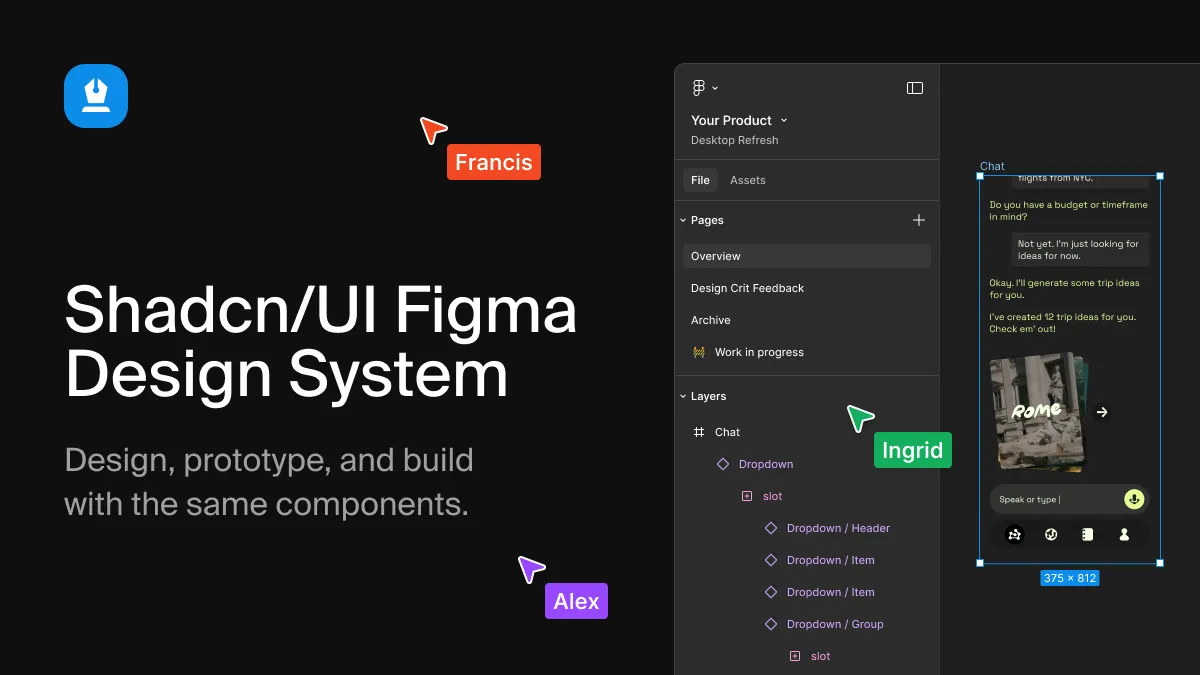
shadcn/ui Figma Kit. A design file containing all 56 shadcn/ui components with every variant, size and state, built on Figma variables and auto layout rather than legacy workarounds. The kit is described as matching the code one to one, includes light and dark modes, eight styles and five icon libraries, and covers block layouts as well as primitives. Component pages on the site detail specifics such as calendar range support, data table sorting and pagination, field label and error states, and command palette grouping.
shadcn/ui Themes. A set of 18 curated themes plus a live builder where base colour, radius and other tokens are adjusted and the resulting CSS is copied or installed with a single CLI command. The marketing demonstrates a side by side comparison between default shadcn/ui and a branded configuration, showing typography, radius, shadow and chart colour differences applied across a dashboard mockup. Every theme is stated to work with every block and with the Figma kit.
shadcn/ui MCP. A Model Context Protocol server that gives AI editors awareness of the catalogue. Rather than writing a pricing section from scratch, an agent calls search and install tools to locate the matching block, plan a page and add the real source files with correct install commands, themes and Figma references. The site reports support for 20 agents, with setup guides for Claude Code, Cursor, VS Code, OpenAI Codex, Windsurf, Gemini CLI and ChatGPT among others.
shadcn/ui Agent Skills. Ten packaged skills that encode repeatable workflows for AI editors. The documented examples include turning a Figma frame into a React component built from the project's own shadcn/ui primitives, importing Figma variables into a global stylesheet with light and dark colour values, designing screens inside Figma using the kit, building a full page from blocks with shared navbar and footer, and applying brand tokens across a project. Installation is handled through the shadcn CLI.
Registry delivery and ownership. Distribution runs through a private registry that is connected to a project once. After that, individual blocks are added by name. Nothing is bundled at runtime, so the code lives in the repository as ordinary React and Tailwind files with no licence check inside the application.
Support, documentation and updates. Every plan includes updates and priority support, with the tiers differentiating seats and response windows rather than feature access. Documentation, a help centre, a blog and an affiliate programme paying 40 percent per referral round out the commercial surface.
How They Work
Engagement is self service and begins with a prerequisite. The buyer needs an existing project containing a components.json file, which is created by running the shadcn initialisation command. From there the project is connected to the shadcn/ui Pro registry once, following the installation documentation, and blocks are added individually by identifier. The site's own demonstration shows a terminal session installing a hero block followed by a pricing block, with the rendered result appearing immediately in a browser preview alongside the generated file names.
Commercial onboarding follows a standard subscription flow handled through Stripe. Monthly and yearly plans open with a seven day trial, a card is captured at checkout, and no charge is applied until the trial concludes. Cancellation is available from the billing area of the account before the trial ends. The Figma kit is the single exception in the onboarding sequence: it unlocks only after the first payment clears, while blocks, themes, the MCP server and the Agent Skills are available from day one of the trial.
For teams working with AI editors, setup is a single command that registers the MCP endpoint with a licence key passed as an authorisation header, followed by scope selection. Agent Skills install through the shadcn CLI in the same manner as blocks. Documentation is organised per product, with separate setup guides for each supported agent client, and support is routed through a help centre that also accepts feature requests. Designers follow a parallel path: open the Figma kit, compose screens from kit components and blocks, bind variables and text styles, and hand the frame to the developer or to an agent skill for conversion.
The underlying methodology is uniformity. The design file, the code components and the themed output are maintained as one system rather than three artefacts kept loosely in sync, which is the core claim the marketing makes and the reason the Figma kit is described as matching the code one to one.
Ideal Client Profile
A product team already standardised on shadcn/ui. Teams that have committed to React, Tailwind and shadcn/ui primitives and now need authenticated application screens such as onboarding flows, settings sidebars, dashboards and command palettes benefit most directly. The application block family removes the need to design and build internal tooling patterns from scratch.
A design agency delivering branded marketing sites. Agencies producing landing pages for multiple clients can pull from the marketing block family for heroes, pricing, testimonials, galleries and footers, then apply the theme builder to shift colour, radius and typography per client. The licence explicitly covers unlimited commercial projects including client work.
A design team that hands work to developers. Studios where Figma is the source of truth gain most from the kit's one to one mapping. Reviewers on the site, including a product designer at Accenture Song, describe the value as identical components, variants, sizes and states on both sides of the handoff.
A small eCommerce operation. Merchants building storefronts on a React stack can assemble checkout, product detail, category and order summary screens from the eCommerce blocks, which account for a substantial portion of the total catalogue.
A solo developer using an AI editor daily. Individuals working inside Cursor, Claude Code or VS Code can let the MCP server and the Agent Skills handle discovery and installation, which shortens the gap between a described layout and a working page.
Pricing & Engagement Models
Pricing is published and seat based. The Freelancer tier costs 9 USD per month for one user, Agency costs 19 USD per month for up to five users, and Enterprise costs 79 USD per month for unlimited users. Yearly equivalents are 72, 144 and 588 USD respectively. Lifetime access is offered as a one time payment of 99, 199 or 799 USD with no renewals and continued updates. Feature access is identical across tiers; the differences are seats, support response times and priority handling.
Every plan carries the same seven day trial, no charge before it ends, and cancellation at any point. A meaningful free allowance exists outside the paid tiers: 62 of the 439 blocks install without a licence, and the theme builder with its 18 themes is openly available. The commercial terms allow unlimited commercial projects including client deliverables, while prohibiting resale or redistribution of the blocks, kit or themes as a competing template product.
Editorial Assessment
shadcn/ui Pro is a coherent, well scoped extension of a library that was never designed to include finished screens. Its strongest argument is not the raw block count but the discipline behind the mapping between Figma and code, which removes a class of drift that plagues most design system handoffs. Delivery through the shadcn CLI as owned source files, rather than a runtime dependency, is the right architectural choice and keeps exit costs low. The agent tooling is unusually concrete for this category, with named skills, a documented MCP endpoint and setup guides across 20 clients.
Limitations are equally clear. The Figma kit is withheld until the first payment, so trial users cannot properly evaluate half the proposition before committing. The MCP server and Agent Skills require a licence key, which means the most interesting automation is closed to anyone without a plan. Buyers also need a working shadcn/ui project with a components.json file before any of this functions, so absolute newcomers face configuration work first. The site publishes no founding date, team size or public repository, which makes vendor due diligence harder than it would be for an open source alternative.
The recommendation is straightforward. For teams already inside the shadcn/ui ecosystem, the combination of a matching Figma kit, 439 editable blocks and agent integration is a defensible efficiency purchase at the entry tier. Agencies working across many client brands will find the seat maths on the Agency plan favourable. Designers who only need visual assets, or teams not yet committed to React and Tailwind, should look elsewhere. Prospective buyers can review the shadcn/ui Pro block library and the Figma kit documentation before committing, then confirm current terms on the pricing page.
The seven day trial is the sensible route to evaluation, provided the Figma access limitation is factored into the schedule.