
Overview
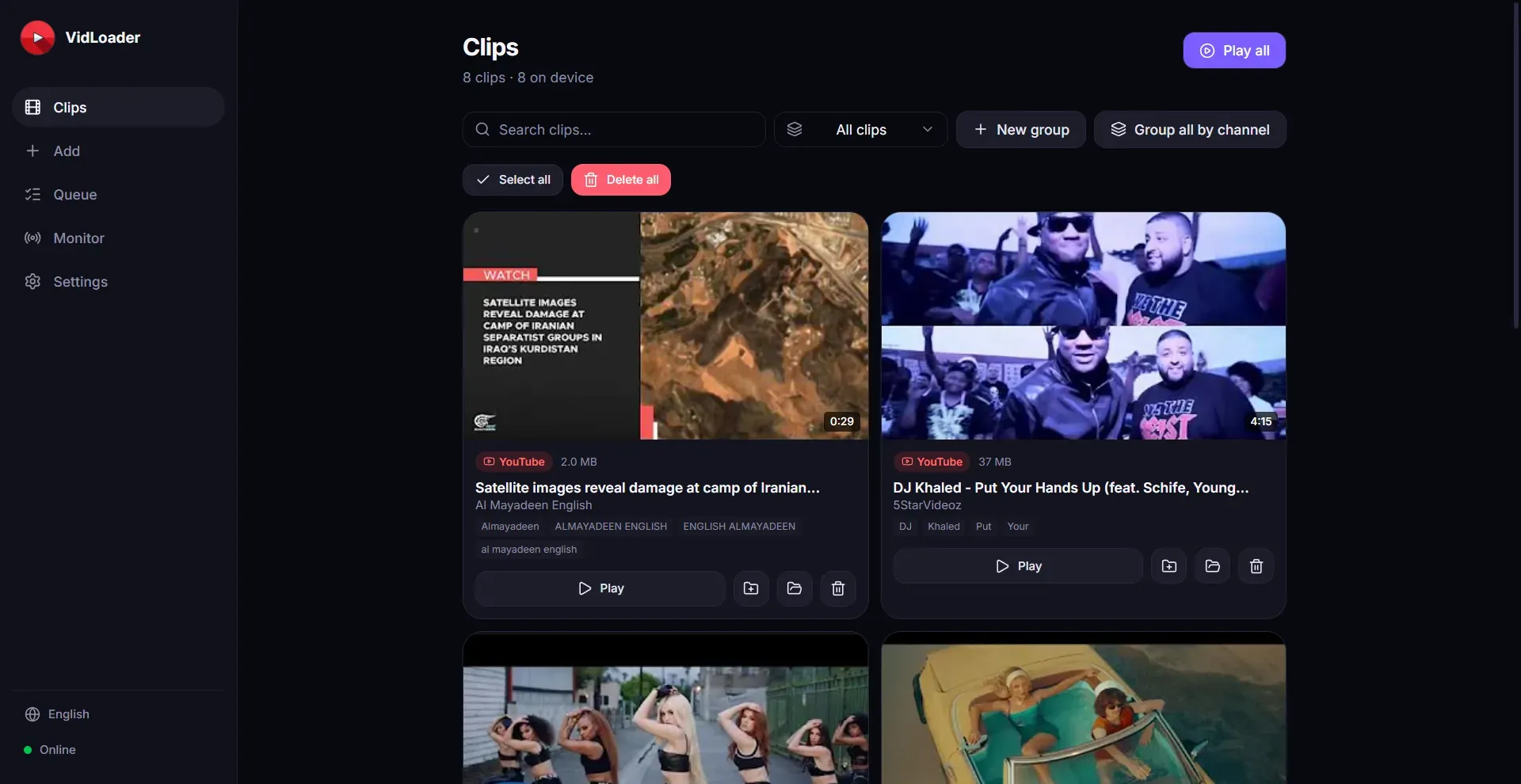
VidLoader is a cross-platform video downloader developed by Deluxe Technologies FZC. The software enables users to save video and audio content from virtually any website or video-sharing platform, including major destinations like YouTube and TikTok, directly to their computer. Supporting Mac, Windows, and Linux operating systems, VidLoader offers features such as downloading as MP4 or MP3, auto-monitoring channels and playlists, and a browser extension for convenient one-click downloads from any page. The company positions itself as a private and secure solution for archiving online videos, catering to individuals and teams who need offline access to content.
Services & Expertise
-
Multi-Platform Video Downloads: VidLoader allows downloads from a wide array of websites, not limited to popular platforms. Users can paste a URL or use the browser extension to capture videos from any page, making it a versatile tool for content archival.
-
MP4 and MP3 Conversion: Videos can be saved in standard MP4 format or converted to MP3 audio, providing flexibility for different use cases such as creating a music library or saving video files for offline viewing.
-
Auto-Monitoring of Channels and Playlists: The software can automatically track specified channels or playlists on supported platforms. When new content is uploaded, VidLoader downloads it automatically, ensuring users never miss updates from favorite creators.
-
Browser Extension: A dedicated browser extension simplifies the downloading process. With a single click, users can initiate a download directly from the web page they are browsing, eliminating the need to copy and paste URLs.
-
Cross-Platform Compatibility: Available for Mac, Windows, and Linux, VidLoader ensures broad accessibility across different operating systems, allowing users to use their preferred device.
-
Private and Secure Downloading: The service emphasizes user privacy, offering a direct download experience without third-party tracking or interference. This is particularly appealing for users concerned about data security.
How They Work
Users begin by installing the VidLoader application on their chosen operating system from the official website. After installation, they can either paste a video URL into the application or install the browser extension for seamless integration. The software supports batch downloads and scheduled monitoring for channels or playlists. Users configure their preferences for output format (MP4 or MP3), download location, and monitoring intervals. Once set, downloads proceed automatically, and completed files are saved to the designated folder. The entire process is designed to be intuitive, requiring minimal technical expertise.
Ideal Client Profile
-
A content creator who wants to archive their own videos from multiple platforms for backup and re-use.
-
A researcher who needs to download educational videos for offline study without relying on internet access.
-
A music enthusiast who wishes to convert YouTube music videos to high-quality MP3 files for a personal library.
-
A frequent traveler who wants to watch videos offline during flights or in areas with limited connectivity.
-
A business team that monitors competitor video content for market analysis and competitive intelligence.
Pricing & Engagement Models
The VidLoader website does not publicly disclose specific pricing or subscription tiers. Based on industry norms for similar video downloading software, it is likely that the tool operates on a one-time purchase or subscription model. Users may expect a basic version with limited features and a premium version offering unlimited downloads, auto-monitoring, and priority support. The absence of transparent pricing may require prospective customers to contact the company or rely on third-party reviews to determine cost.
Why Consider Them
VidLoader distinguishes itself through its broad compatibility with both operating systems and websites. The auto-monitoring feature is particularly valuable for users who want to keep up with content from specific creators without manual effort. The browser extension adds convenience, enabling downloads without leaving the browsing context. For users seeking a private, secure, and versatile video downloader, VidLoader presents a compelling option, especially given its support for major platforms like YouTube and TikTok.