Overview
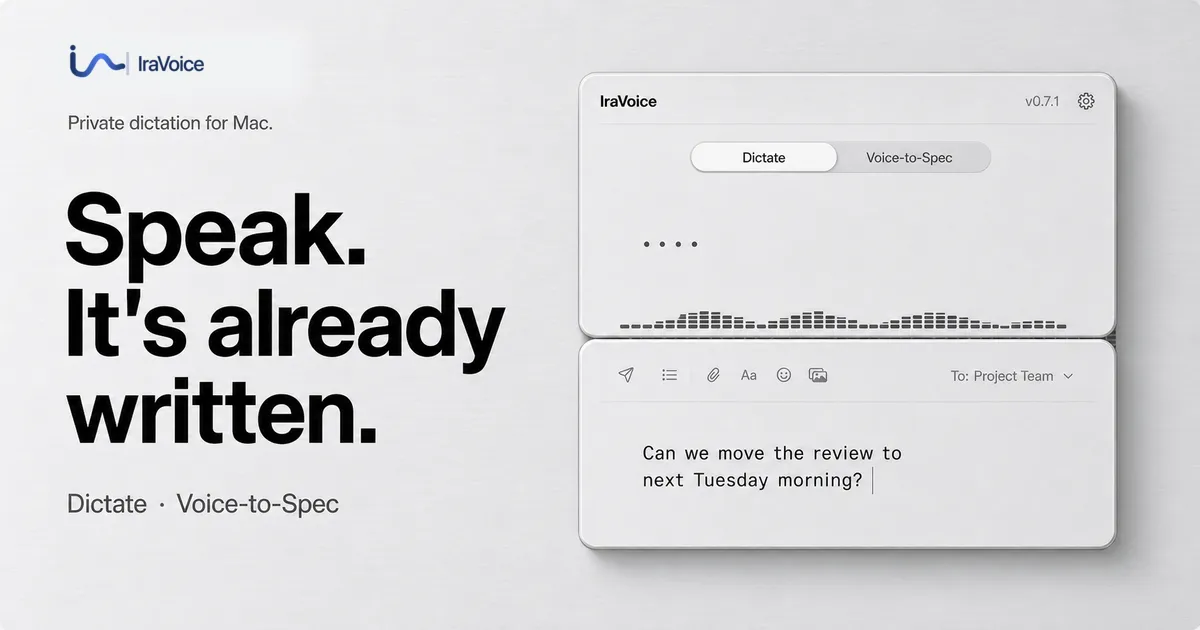
IraVoice is a private, on-device dictation application developed by MVP Lab AI exclusively for Apple silicon Macs running macOS 26 or later. The app converts spoken input into either polished text suitable for general writing or structured Markdown briefs designed for software development workflows. All speech recognition and text formatting occur locally on the device, ensuring no audio recordings, transcripts, or user selections are transmitted to external servers. The product targets privacy-conscious professionals, software developers, writers, and anyone who needs fast, accurate voice-to-text without cloud dependency. IraVoice is sold as a one-time purchase with a free three-day trial, positioning itself as a subscription-free alternative in the dictation software market.
Services & Expertise
-
Dictate Workflow: Hold the Right Option key while speaking to transcribe speech into any focused editable field. The app automatically removes filler words and applies on-device formatting via Apple Intelligence, producing clean text at the cursor. This workflow is optimized for everyday writing tasks such as drafting emails, documents, or notes.
-
Voice-to-Spec Workflow: Hold the Globe key to transform spoken requirements into structured Markdown that is ready for review or direct handoff to coding agents. This feature targets developers who want to quickly capture technical specifications and then either paste them manually or submit them to tools like Codex or Claude Code through a visible Terminal session.
-
On-Device Speech Recognition: IraVoice uses Apple’s Core ML models for local speech-to-text processing. The speech recognition models are downloaded once on first use and then operate entirely offline. The company publishes benchmark results showing a 1.98% word error rate when using Apple’s SpeechAnalyzer on a disclosed Mac configuration.
-
Privacy Architecture: The app runs without an account system, product telemetry, or cloud transcript history. License state is stored in the Mac Keychain, and the only external connections are the initial model download, Gumroad license verification, and optional agent handoff when explicitly chosen by the user. The company publishes a privacy matrix comparing 18 Mac dictation products across 33 first-party sources.
-
Installation Options: Users can install IraVoice via a notarized DMG downloaded from the website or through a public Homebrew tap (
mvplab-ai/tap/iravoice). The Homebrew installation uses the same checksum-verified release without custom scripts. -
Published Evidence: The company maintains a press and citation kit with result files, source trails, and limitations for its recognition and privacy claims. This includes a detailed privacy matrix and a word error rate benchmark with explicit disclaimers about its scope.
How They Work
The user journey begins by downloading the app from the IraVoice website or installing via Homebrew. After opening the app, macOS prompts for Microphone and Accessibility permissions, which must be granted for dictation to function. On first use, the app downloads the required speech recognition models; subsequent use is completely offline for both Dictate and Voice-to-Spec modes.
To dictate, the user positions the cursor in any text field and holds the Right Option key while speaking. Releasing the key inserts the transcribed text at the cursor location. Alternatively, holding the Globe key initiates Voice-to-Spec mode, which produces structured Markdown that can be reviewed and pasted manually. For users who want to hand off the specification to an AI coding agent, the app offers an optional direct submission feature: the finished Markdown is sent to Codex or Claude Code in a visible Terminal session, where the agent’s own privacy and account terms then apply. The entire process is designed to be unobtrusive, allowing users to continue working without switching windows.
Ideal Client Profile
-
A freelance software developer who needs to document requirements or generate code comments by voice while keeping all data on a local machine, avoiding cloud-based alternatives that might expose intellectual property.
-
A journalist or academic writer who transcribes interviews or notes daily and requires accurate, offline dictation that does not send speech to external servers for processing.
-
A legal or healthcare professional handling confidential client information that cannot legally or safely be processed through cloud-based speech-to-text services.
-
A Mac power user who prefers one-time purchases over subscription fees and wants a dictation tool that integrates with any native text field without vendor lock-in.
-
A technical team lead who wants to quickly turn spoken planning sessions into structured Markdown briefs for AI assistants, then review and iterate before sending to development tools.
Pricing & Engagement Models
IraVoice is offered as a one-time purchase for $50. Users can try the full app for three days without providing a credit card; after the trial, voice actions pause until a license key is entered. The license key is delivered via Gumroad upon purchase and stored in the Mac Keychain. The purchase includes both Dictate and Voice-to-Spec workflows with no recurring fees. It also comes with a 30-day refund guarantee through Gumroad. There are no tiers or subscription options – all features are available in the single product. Installation via Homebrew is free, but the app itself requires a paid license for continued use beyond the trial.
Why Consider Them
IraVoice differentiates itself through a strict on-device privacy model backed by publicly auditable evidence. Unlike many dictation tools that rely on cloud servers, IraVoice ensures no audio or text ever leaves the Mac, addressing a critical concern for users handling sensitive information. The company does not operate an account system or collect telemetry, and it publishes both a privacy matrix comparing competitors and a word error rate benchmark for transparency. The one-time pricing ($50) contrasts sharply with the subscription models common in the dictation market, making it an attractive option for budget-conscious professionals. Additionally, the dual workflow design – general dictation and developer-focused Voice-to-Spec – allows a single tool to serve both everyday writing and technical documentation needs, reducing the need for multiple applications.